
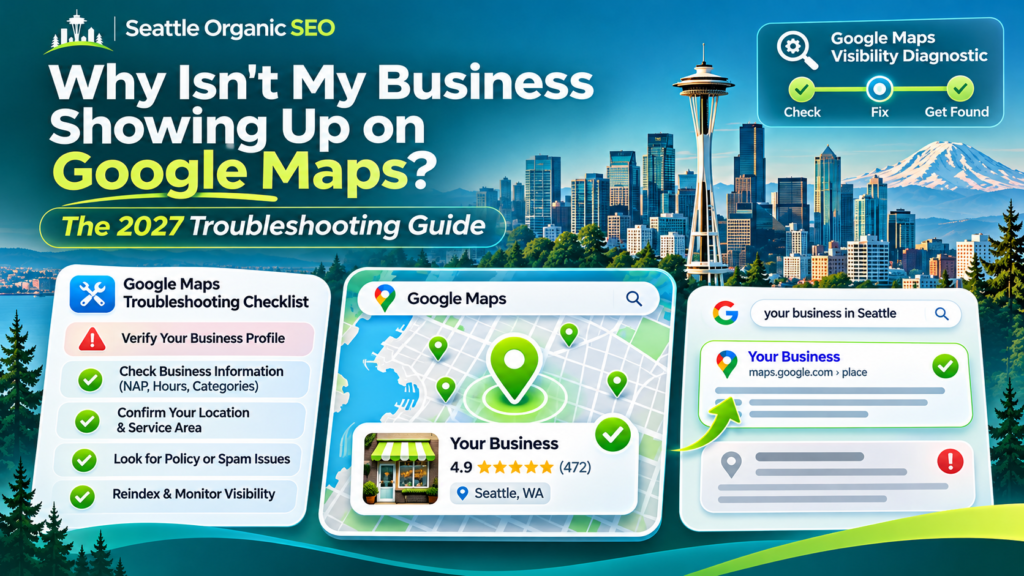
Updated November 2026 for 2027 planning. If your business is missing from Google Maps, first determine whether the listing is genuinely absent, unverified, suspended, or simply not ranking for the search you tried. Those are different problems and they require different fixes.
A business can exist on Maps yet fail to appear in the three-result local pack for “dentist near me” or “Seattle emergency plumber.” Conversely, a business with a verified Google Business Profile can still have poor visibility because the searcher is far away or the profile is not the best match for the query.
Start here: which Google Maps problem do you have?
| What you see | Most useful next check | What to avoid |
|---|---|---|
| Nothing appears for your exact business name and city | Look for an existing profile, ownership and eligibility before creating a new listing. | Creating a duplicate profile immediately. |
| Your business appears, but says “Get verified” | Sign in with the managing Google account and complete the verification method offered. | Assuming every business can choose postcard or phone. |
| Profile is suspended or disabled | Review the notice and Google’s appeal process, then gather evidence of real-world eligibility. | Making more listings to bypass enforcement. |
| Exact-name search works, but broad service searches do not | Inspect primary category, services, proximity, website and local competition. | Treating low rank as a suspension. |
| A previous listing has disappeared or been merged | Check duplicates, ownership and recent business-name/address changes. | Changing your name to stuff in keywords. |
1. Check whether the profile exists before creating anything
Search Google Maps for your precise real-world business name plus your city; then search your address and phone number. Search from a logged-out browser as a second check. An unclaimed profile may already exist, and a former owner, employee or agency may control it. If it does, use Google’s claim/ownership workflow rather than submitting an identical second profile.
Google’s verification instructions explain how to find, claim, and verify an existing profile.
2. Verify the business—and confirm verification stayed active
Business Profile verification is not an SEO trick: it establishes that an authorized person controls the business details. Google decides which verification methods are available, which may include video, phone, email, or mail depending on the business. A method listed in an old blog post may no longer be offered for your listing.
- Sign into the Google account that manages the profile and search for your business or “my business.”
- Look for “Get verified,” “Review issues,” or re-verification instructions.
- Use the method actually shown by Google. Prepare signage, work equipment, business documents, or proof of access if required.
- If you changed the business name, category or address during a verification process, recheck the instructions; edits may invalidate a pending verification attempt.
3. Investigate suspensions, disabled listings and policy problems
If the Business Profile dashboard explicitly says the listing was suspended, this is not the same as a weak ranking. Review the notice, identify possible policy conflicts, and use Google’s official reinstatement or appeal workflow. Gather factual evidence that the business operates where it says it does. Do not create replacements to evade the suspension.
Common compliance problems include virtual-office addresses not staffed as required, an ineligible mailbox, misleading business-name additions, a non-existent storefront, and multiple listings for the same location. Start with Google’s guidelines for representing a business.
4. Check storefront versus service-area business eligibility
A contractor, cleaning company or mobile service may legitimately visit customers instead of receiving them at a staffed storefront. Such a business generally should hide its residential address and define an accurate service area. A service-area setting is not a magic radius in which you automatically rank: Google still evaluates relevance, distance and prominence.
If you serve Bellevue, Tacoma and Kirkland from one qualifying business location, do not invent three offices or create three GBP listings without genuinely separate eligible locations and staff. Service-area pages on your website can explain actual services in each market, but location pages do not change where your business physically operates.
5. Confirm the primary category and the services you actually sell
Your primary category is a strong description of what the business fundamentally is, not a wishlist of every keyword you want to rank for. For example, a dental practice should select the category that genuinely matches its operations, then supplement it with relevant secondary categories and real services. Choose accuracy rather than adding every related category.
- Compare your primary category against businesses that genuinely provide the same core service.
- Complete business hours, service descriptions, website URL, phone and applicable attributes.
- Use your real business name—do not add “Best Seattle Dentist Near Me” to it.
- Keep hours and service availability aligned with what customers can actually book.
6. Understand why location and proximity change what people see
Two people can search for the same service and get different Maps results. Google says local results are based mainly on relevance, distance and prominence. A business in Ballard may rank for nearby searches yet disappear from a similar query made in Renton. That does not mean the listing is broken.
When comparing visibility, record the query, approximate search location, device and date. Test several relevant neighborhoods rather than taking a single screenshot at the office. Use Google’s local ranking explanation as a starting point.
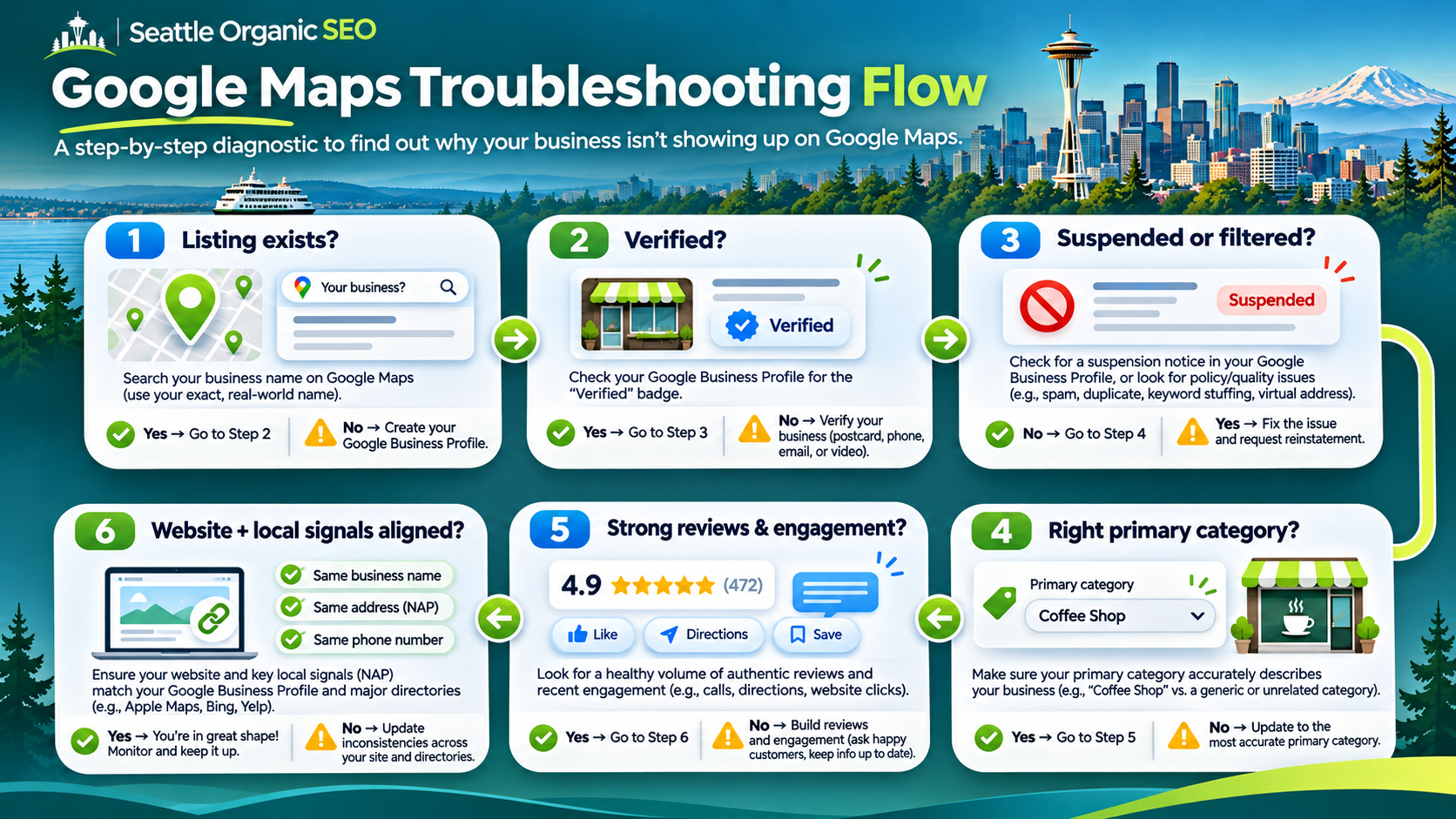
The Google Maps visibility troubleshooting flow
7. Look for duplicates and inconsistent business details
Old addresses, duplicate profiles and legacy phone numbers can confuse customers and create conflicting business representations. Search for the old business name, former street addresses and old phone numbers. If the same operation has multiple profiles, follow Google’s duplicate-resolution or ownership process rather than deleting a legitimate verified profile without understanding its history.
Make the business name, address where eligible, phone number, hours and website consistent across its real website and important profiles. Consistency is useful for customer trust; a minor punctuation difference is not evidence of an automatic penalty.
8. Improve local prominence without buying a shortcut
Customer reviews, links, credible mentions and a useful website can support local prominence, but no ethical agency can buy a better Maps rank from Google. Ask real customers for honest reviews in a policy-compliant way; respond constructively and never exchange incentives for positive ratings. Publish proof of your services, staff credentials where relevant, hours, local service details and useful answers to common buyer questions.
For practical implementation, see our Local SEO services and SEO audits.
9. Check whether the website itself helps the profile
Your site should clearly explain the business, its real service areas, the work it offers and how to contact it. Give important services dedicated, helpful pages with clear titles and internal links. Verify that pages are indexable, accessible on mobile and not blocked by technical mistakes. Where applicable, structured data should match the visible business facts—not invent locations or guarantees.
10. Measure the right outcome
| Signal | What it tells you | What it does not prove |
|---|---|---|
| Exact-name visibility | Whether people can find the entity/listing by its real name | That you rank for competitive non-branded terms |
| Local-pack observations across locations | A sampled picture of rankings for chosen queries and search points | Every user sees the same ranking |
| GBP interactions | Profile-based actions such as calls or direction requests where available | Every interaction became a qualified lead |
| GSC and analytics | Website search clicks, landing pages and tracked conversions | All Maps activity occurred on the website |
Quick decision guide: what to do this week
- Day 1: Find the exact listing and establish ownership, verification, eligibility and any enforcement status.
- Day 2: Correct the core category, hours, services, phone, real-world business name and address/service-area setup.
- Day 3: Check duplicate profiles, outdated directory entries and important website details.
- Day 4: Test a short set of relevant service queries across a few real customer locations and record the baseline.
- Following weeks: Improve useful service content, earn authentic reviews and review actual inquiries—not just rank screenshots.
Frequently asked questions
Why does my business appear when I search its name, but not “near me”?
Brand-name and generic service searches have different competition and relevance signals. Visibility for your own name establishes only that the listing can be discovered; it does not guarantee placement in the local pack.
Does verification guarantee a top-three Maps ranking?
No. Verification helps establish management rights and accuracy. Google does not guarantee ranking, and local results vary with the search and location.
Can I rank in Seattle without a Seattle office?
You may appear for some searches when you genuinely serve Seattle, but proximity and eligibility still matter. Do not fabricate an office or add a fake address to try to qualify for a local result.
Should I delete and recreate a suspended profile?
Usually no. Review the stated issue and Google’s official appeal path first. Creating another profile can make the situation worse.
Need help diagnosing your Google Maps visibility?
Seattle Organic SEO can examine listing eligibility, verification issues, website relevance and real local search results across your target service areas. Contact the team or explore our Local SEO services for a practical review rather than a ranking guarantee.
Official references: Google: Local ranking factors · Google: Verify your business · Google: Represent your business accurately. This guide explains general policy and diagnostic methods; individual profile eligibility and appeal outcomes are determined by Google.